Billing and payments
Invoices your accountant – and your clients' countries – accept.
Bill clients in India and abroad from the same CRM: the right tax, the right numbering, retainers that bill themselves and a pay page for every invoice.
Main benefits
-
The right tax, everywhere
India GST with CGST, SGST and IGST; VAT, GST or sales tax with presets for 33 countries; EU reverse charge.
-
Retainers that bill themselves
Monthly, quarterly or yearly invoices issued and emailed automatically – pause, resume or end any time.
-
Paid faster
Razorpay with UPI, cards and netbanking, Stripe and PayPal on a pay page, with reminders before and after the due date.
How it works
- 1
Set up your billing
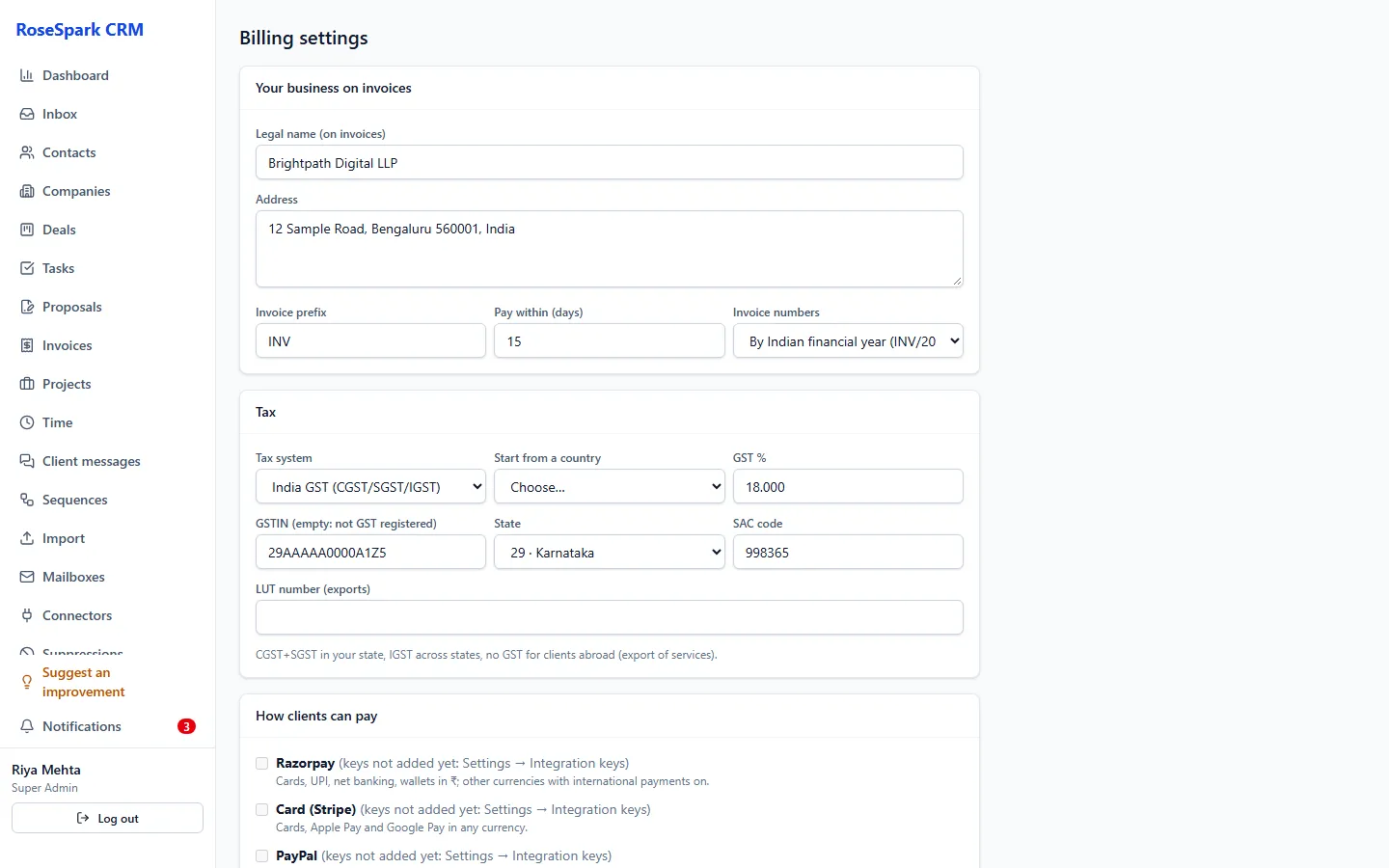
Legal name, address, tax registration and rate, invoice numbering (Indian financial year or calendar year) and the ways to pay.
- 2
Issue the invoice
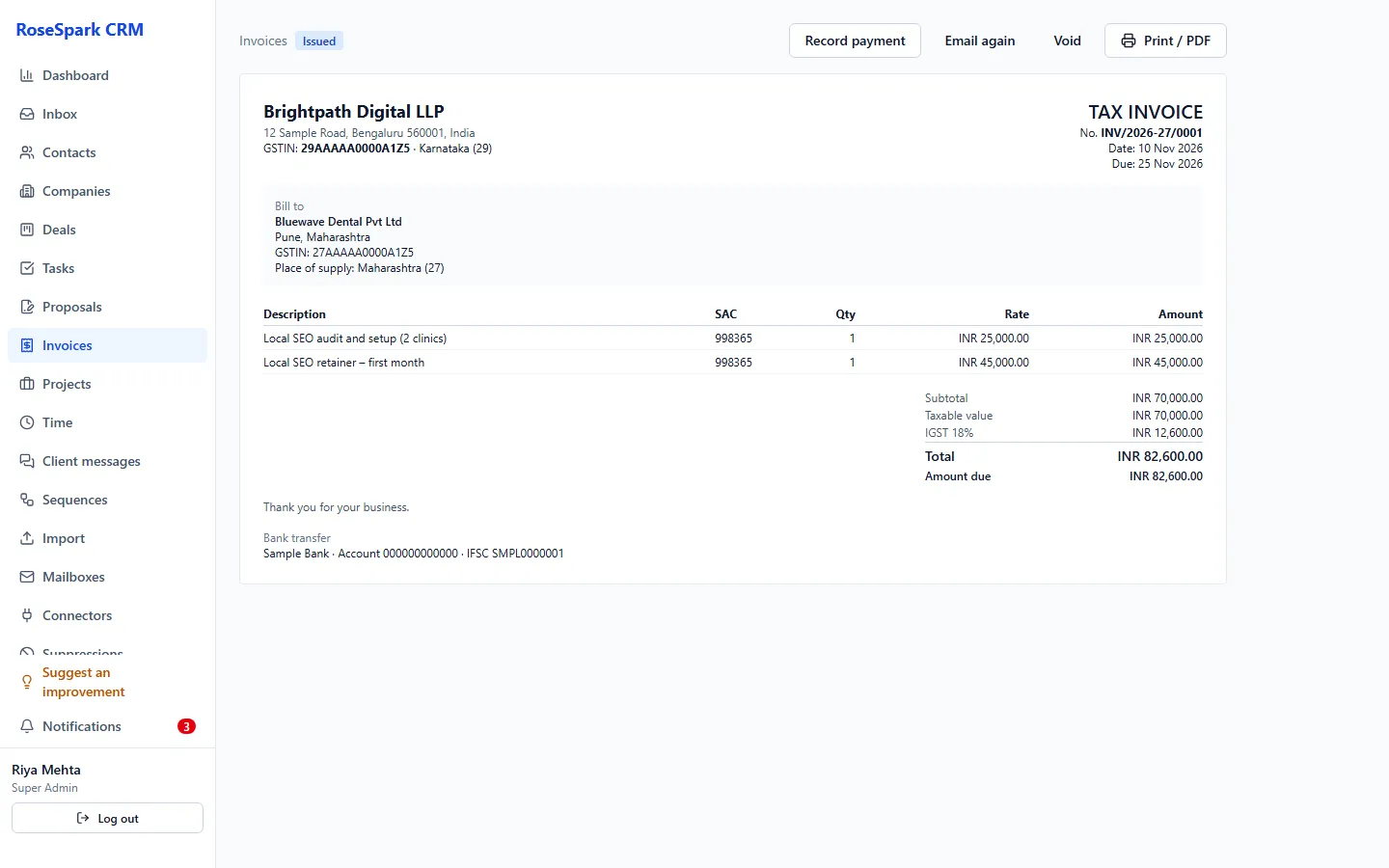
The tax is worked out for the client's location; issued invoices are locked (void and reissue to change one).
- 3
The client pays online
On the pay page or in the client portal, by Razorpay, Stripe or PayPal; Payoneer, Wise, bank and UPI details are shown and recorded by hand.
Screenshot: Pay page - 4
Follow the money
Reminders go out on their own; revenue per month shows on the dashboard, summed per currency.
Screenshot: Revenue per month
What's included
- India GST: CGST and SGST in your state, IGST across states, export under LUT, no GST without a GSTIN, SAC codes
- VAT, GST, sales tax or other at one rate, with presets for 33 countries; EU reverse charge; "outside the scope" for clients abroad
- "Tax invoice" titles where required; rates with 3 decimals
- Numbering by Indian financial year (INV/2026-27/0001) or calendar year; issued invoices locked
- Retainers from signed proposals: monthly, quarterly or yearly, issued and emailed automatically
- Razorpay (UPI, cards, netbanking; international switch), Stripe (cards), PayPal
- Payoneer, Wise, bank and UPI details shown and recorded by hand
- Reminders before and after the due date; revenue per month
- Any currency – amounts summed per currency, never converted
Questions
Do I need a GSTIN?
No. Without a GSTIN your invoices carry no GST. With one, the CRM splits CGST and SGST or charges IGST depending on where the client is.
Can I bill clients outside India?
Yes: export under LUT, VAT or sales tax for 33 countries, EU reverse charge for business clients, and payment by Stripe, PayPal, Payoneer, Wise or bank transfer.
Are retainer invoices automatic?
Yes. A retainer issues and emails its invoices monthly, quarterly or yearly, and you can pause, resume or end it.
Does it convert currencies?
No. Every amount stays in its own currency and totals are shown per currency, so your books match what was billed.
See it on your own data: book a 30-minute demo
I'll show you billing and payments and the rest of RoseSpark CRM on a real CRM – no slides.