CRM and pipeline
Every lead, client and deal on one timeline.
Contacts, companies, deals and tasks in one place, with one timeline per client that shows every email, call, meeting and stage change.
Main benefits
-
One timeline per client
Notes, calls, emails, meetings and stage changes in order, on the contact and on the deal.
-
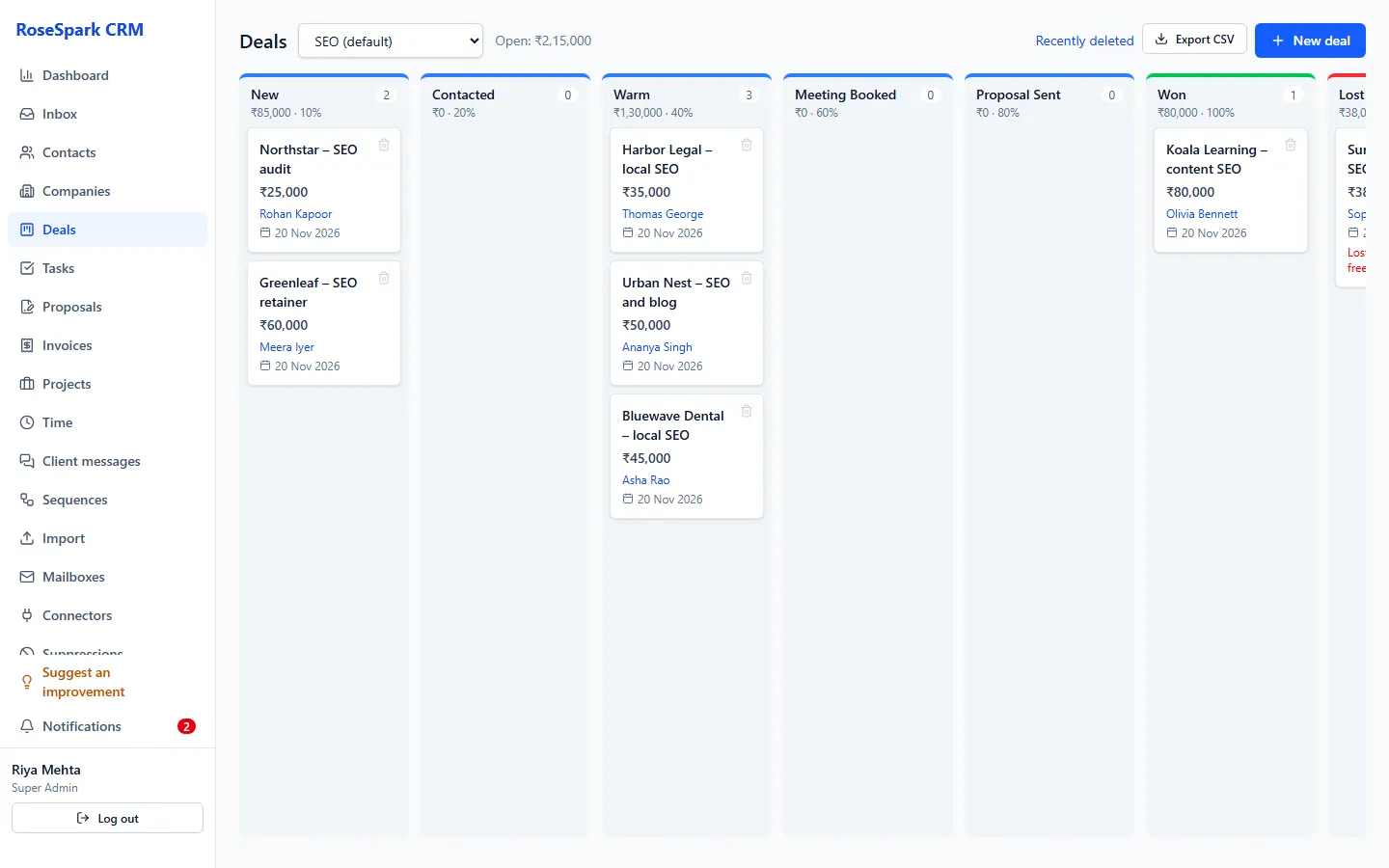
Pipelines that fit your services
Several pipelines with their own stages and probabilities, a drag-and-drop board, and a reason required when a deal is lost.
-
Bring your data in safely
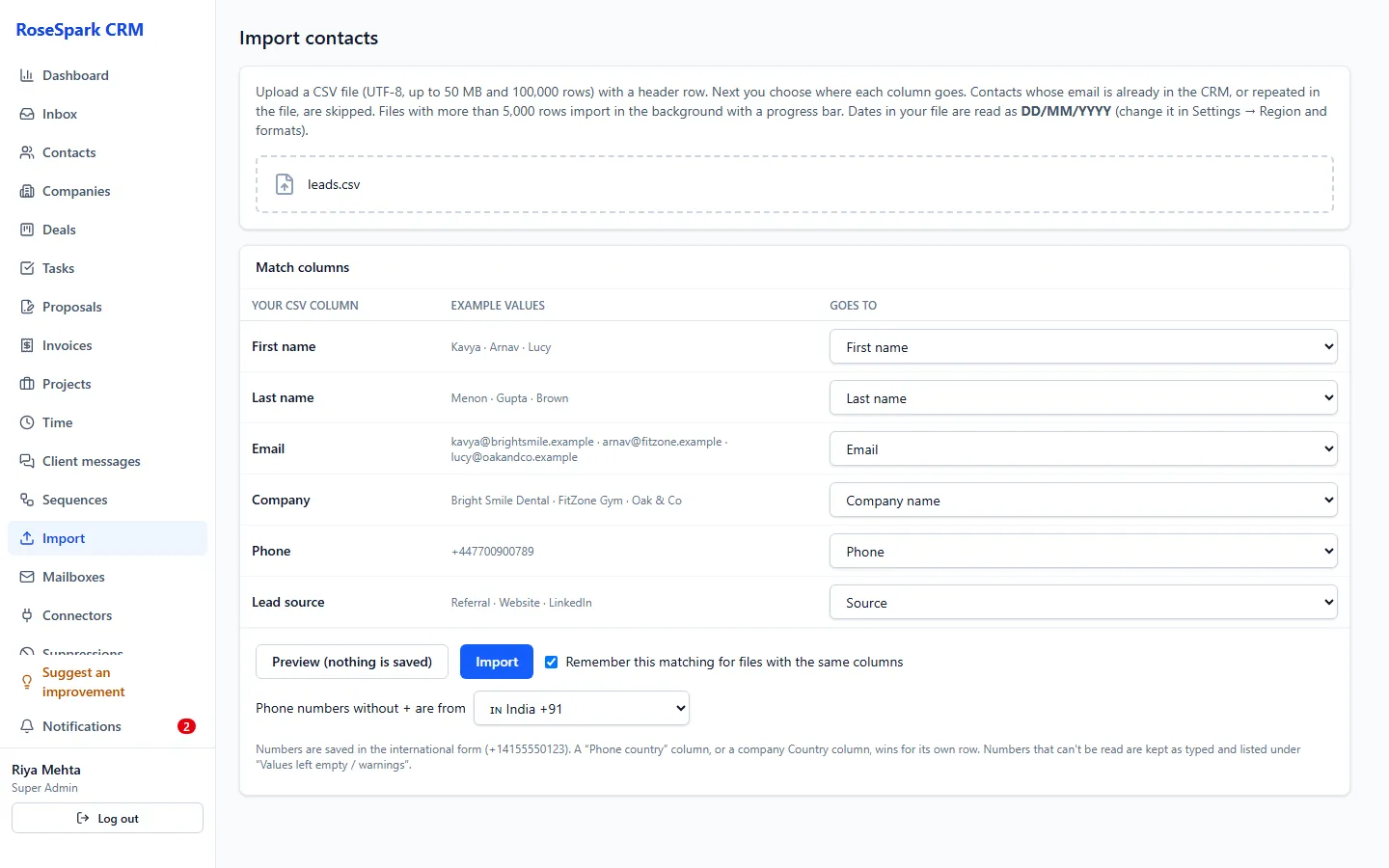
Import up to 100,000 rows per file, with columns matched on screen, duplicates skipped – and an undo button.
How it works
- 1
Import your contacts
Upload a CSV, match the columns on screen (contact fields, company fields, custom fields, email consent) and download any problem rows to fix. Big files import in the background.
- 2
Organise them your way
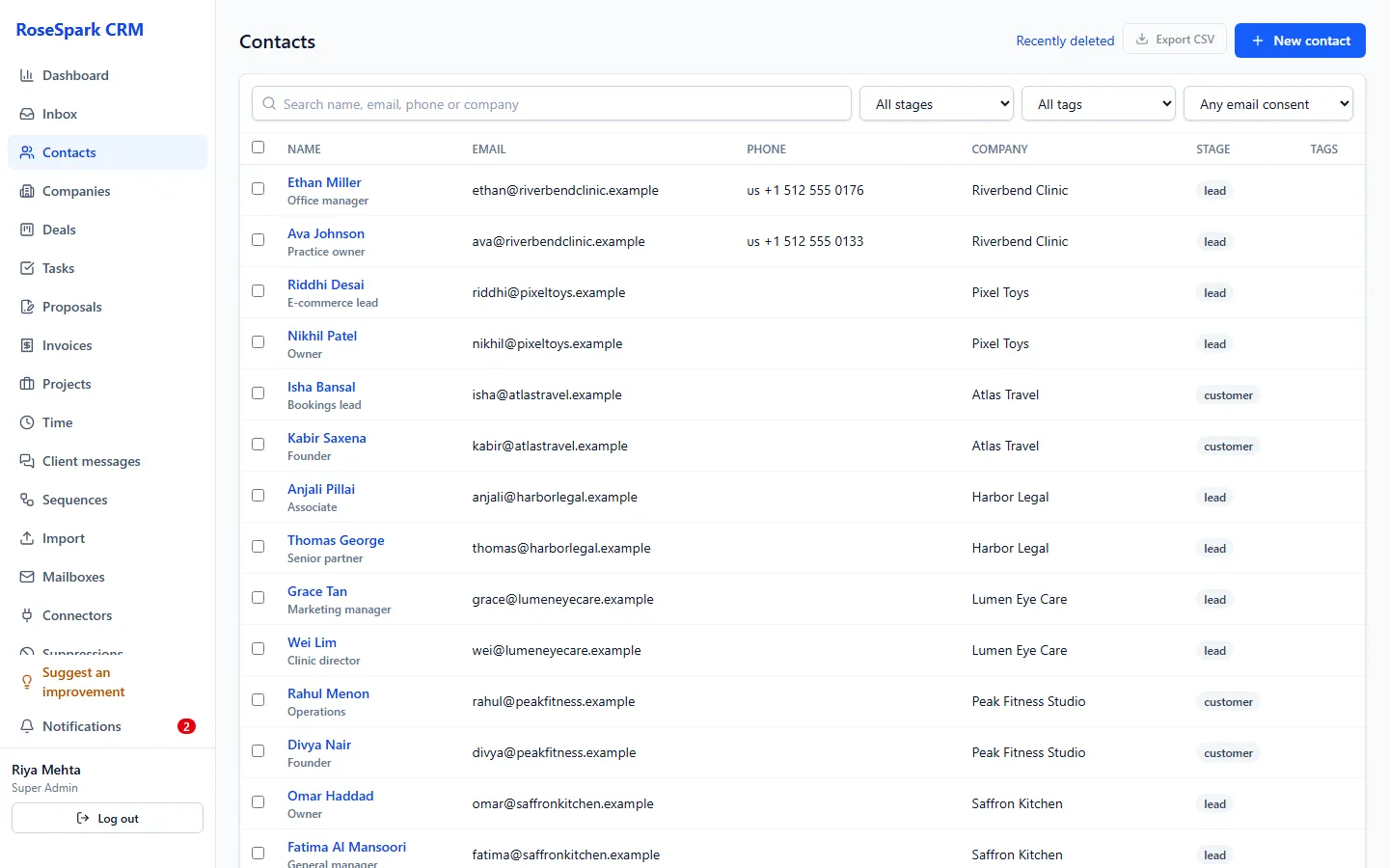
Tags, owner, lifecycle stage and custom fields; filters by stage, tag, consent or any custom field; sort and search by name, email, company or phone number in any written form.
- 3
Work the pipeline
Move deals across the board, set the currency per deal, and record won and lost dates – with a reason for every lost deal.
- 4
Never miss a follow-up
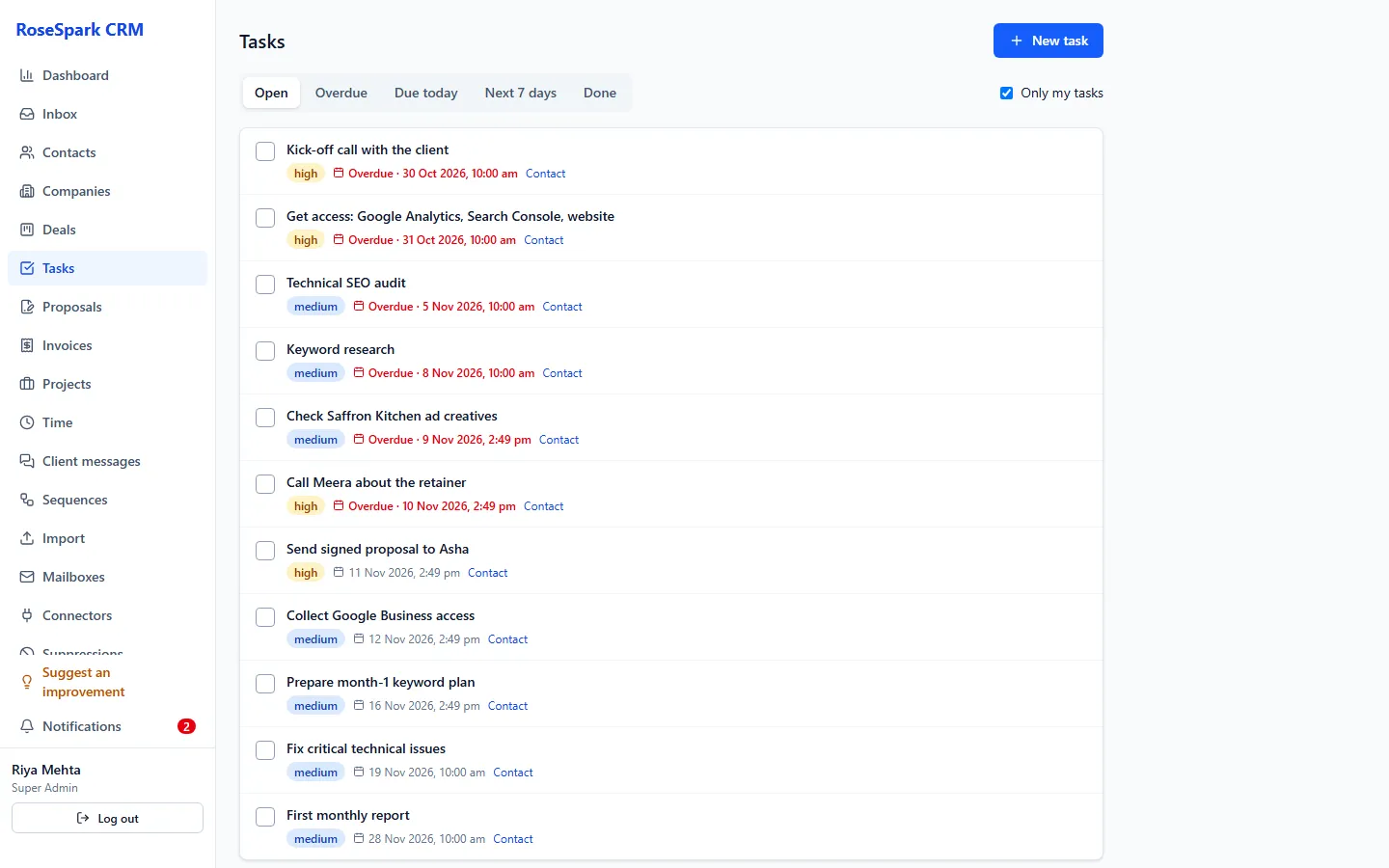
Tasks with priority and due date, and reminders for overdue, today and the next 7 days in your own time zone.
What's included
- Contacts and companies with search, filters, sorting, tags, owner and lifecycle stage
- Deals with several pipelines, stages and probabilities on a drag-and-drop board
- Notes, calls, emails, meetings and tasks with reminders on one timeline
- Custom fields in 8 types (text, long text, number, date, dropdown, multi-select, yes/no, link), up to 50 per type
- Phone numbers from any country, shown with country, type and the contact's local time
- CSV import of up to 100,000 rows or 50 MB, with undo; recent imports listed for 30 days
- CSV export of contacts, companies and deals – only for the Super Admin or people given the right, every export logged
- Bulk actions: add to a sequence or call queue, set email consent, delete
- Recently deleted: restore, or delete permanently (Super Admin only)
Questions
Can I bring my contacts from another CRM?
Yes. Export them as CSV, upload the file and match the columns on screen. Up to 100,000 rows per file; duplicates are skipped, problem rows can be downloaded, and the whole import can be undone.
What custom fields can I add?
Text, long text, number, date, dropdown, multi-select, yes/no and link – up to 50 per type. Fields can be required, shown as list columns (up to 3) and used as merge tags in emails.
What happens when someone deletes a contact?
It goes to Recently deleted, where it can be restored. Only a Super Admin can delete permanently, and records with invoices are kept.
Who can export our data?
Only the Super Admin, or a person the Super Admin gives the export right to. Every export is logged.
See it on your own data: book a 30-minute demo
I'll show you crm and pipeline and the rest of RoseSpark CRM on a real CRM – no slides.