Reports and client reporting
See your numbers. Show clients theirs.
Dashboards for your own business, and – for marketing agencies – client reports from Google and Meta that send themselves.
The Google and Meta client reports are an extra for marketing agencies; the dashboards are for every business.
Main benefits
-
Your business at a glance
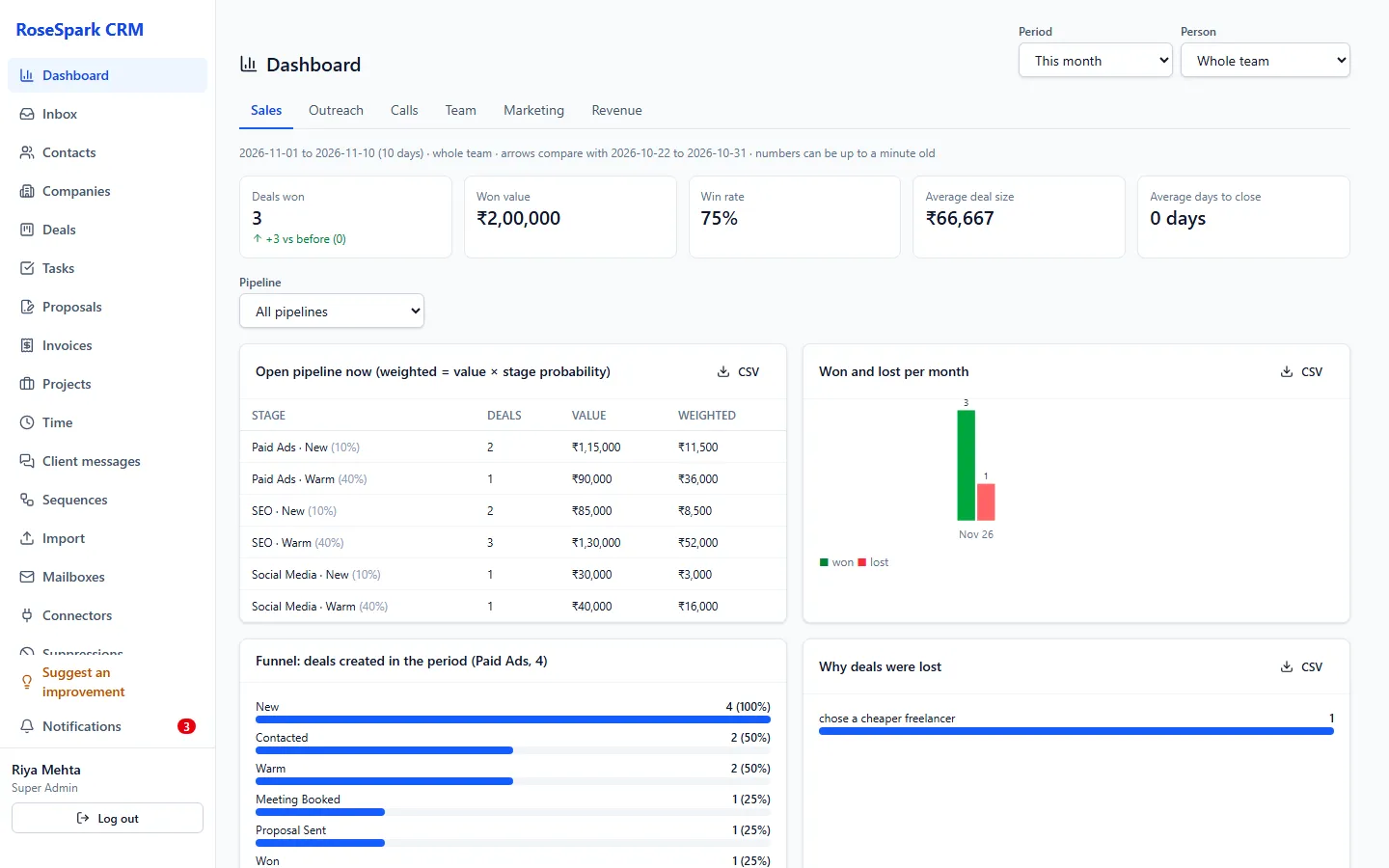
Sales, outreach, calls, team and revenue dashboards with periods compared.
-
Client reports that send themselves
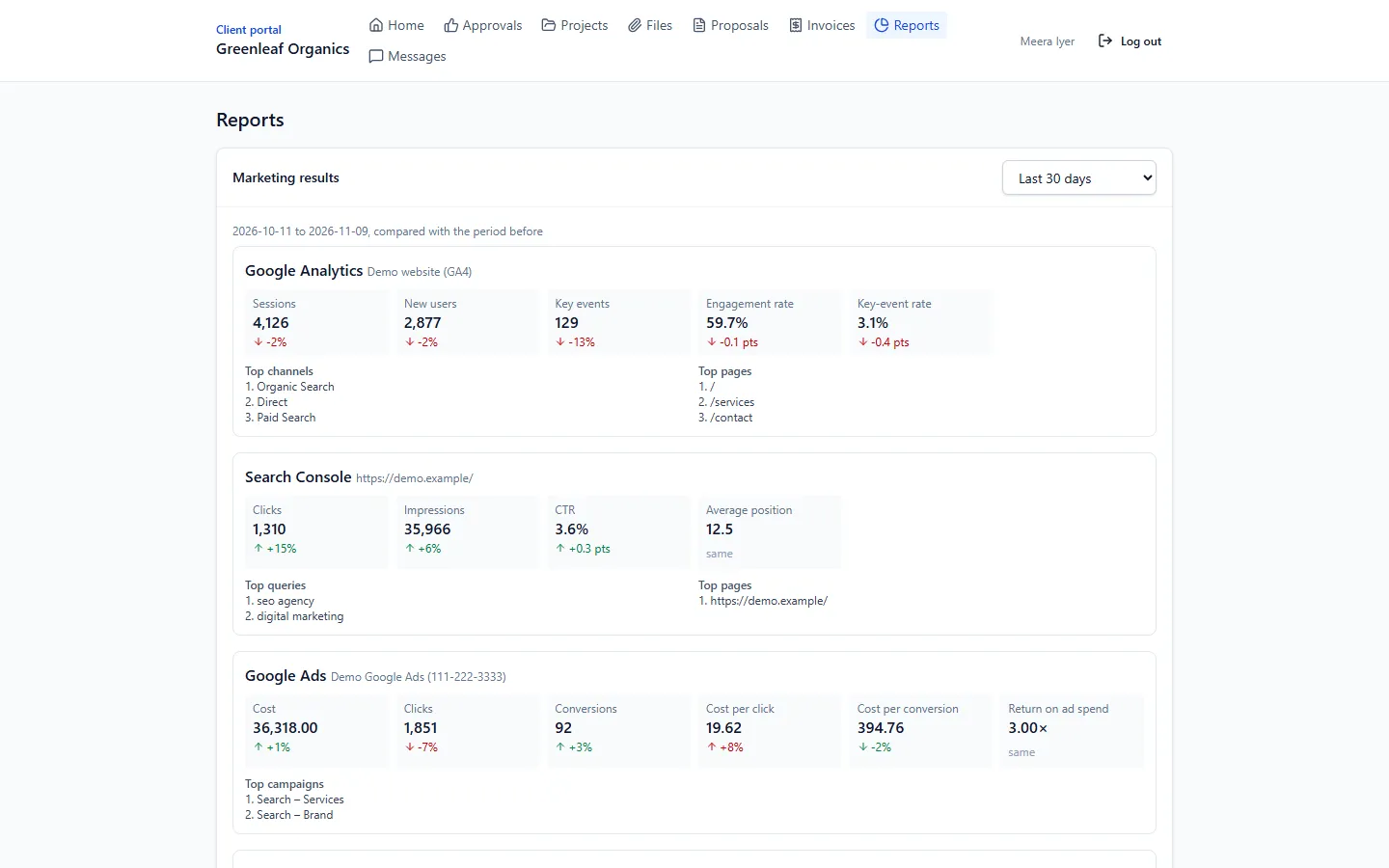
Google Analytics, Search Console, Google Ads and Meta Ads numbers per client, emailed weekly or monthly.
-
Clients see them in the portal
The same numbers appear in each client's portal, next to their projects and invoices.
How it works
- 1
Open the dashboards
Pipeline, won deals, funnel and lost reasons; emails sent with open, click and reply rates; calls; team; revenue.
- 2
Compare periods and people
Compare with the previous period; managers can filter by person; download any table as CSV.
Screenshot: Outreach dashboard - 3
Connect Google and Meta
Connect your agency's Google and Meta accounts once and choose the properties and ad accounts for each client.
Screenshot: Marketing connections - 4
Schedule the client report
Numbers sync every night; the report is emailed to the client weekly or monthly and shown in their portal.
What's included
- Dashboards: sales (pipeline, won, funnel, lost reasons), outreach (sent, open, click, reply rates), calls, team, revenue
- Periods compared, a person filter for managers, CSV downloads
- Marketing reports per client from Google Analytics, Search Console, Google Ads and Meta Ads
- Nightly sync and scheduled weekly or monthly client emails
- Report numbers in the client portal
Questions
Which marketing sources are supported?
Google Analytics, Google Search Console, Google Ads and Meta Ads, connected once at agency level and chosen per client.
Does Google Ads work straight away?
Google Analytics and Search Console do. Google Ads needs a developer token approved by Google, and wider use of Meta needs Meta's app review.
Do clients see their reports?
Yes – by email on the schedule you choose, and in their client portal.
Can managers see the whole team?
Yes. Managers can filter dashboards by person; sales reps see their own numbers.
See it on your own data: book a 30-minute demo
I'll show you reports and client reporting and the rest of RoseSpark CRM on a real CRM – no slides.