Proposals and e-signature
Send it, track it, get it signed.
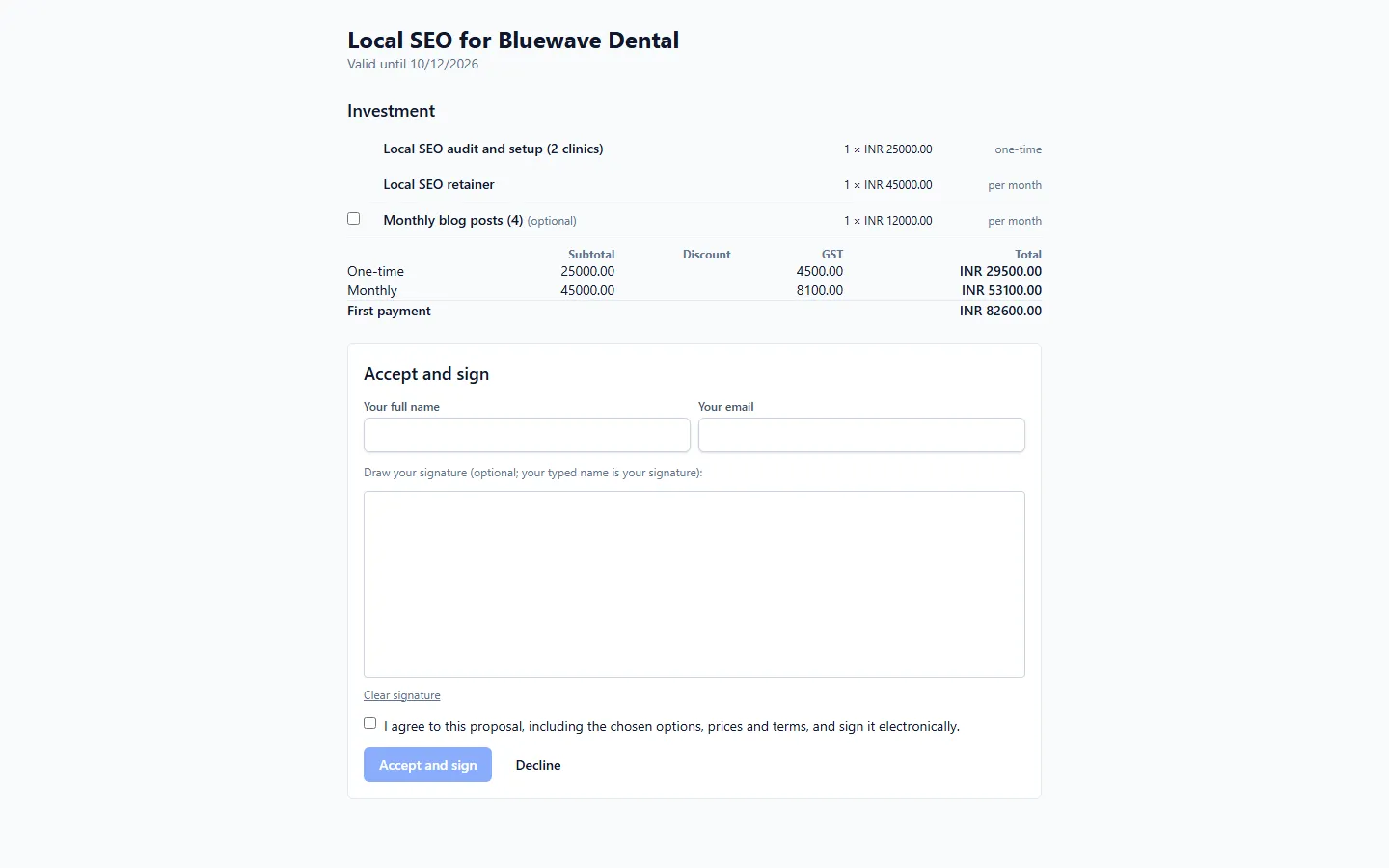
Build the proposal from a template, send a link, see when it is opened, and let the client sign online – the deal moves to Won by itself.
Main benefits
-
Faster to write
Templates with merge fields, one-time and monthly lines, optional extras, discounts and your tax.
-
Know when they read it
A public link with no login for the client, and view tracking for you.
-
Signed and won in one step
Typed name and drawn signature with an audit trail; signing moves the deal to Won.
How it works
- 1
Start from a template
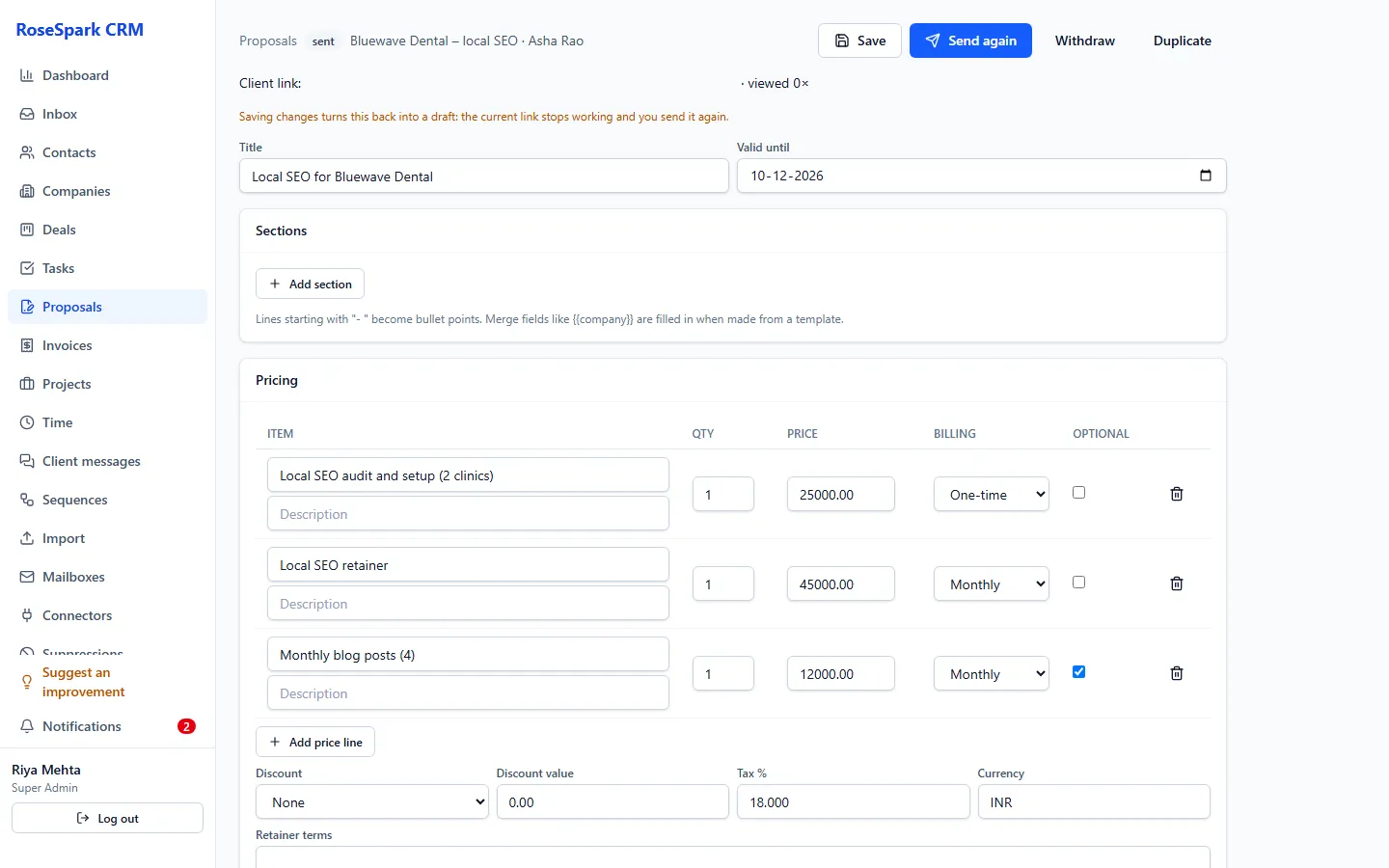
Merge fields fill in the client's details; add one-time and monthly lines and optional extras the client can tick.
- 2
Send the link
The client opens it in the browser – no account needed. You see when it is viewed.
Screenshot: Proposal views - 3
The client signs
Typed name and drawn signature, with an audit trail and a signed copy.
- 4
Carry on automatically
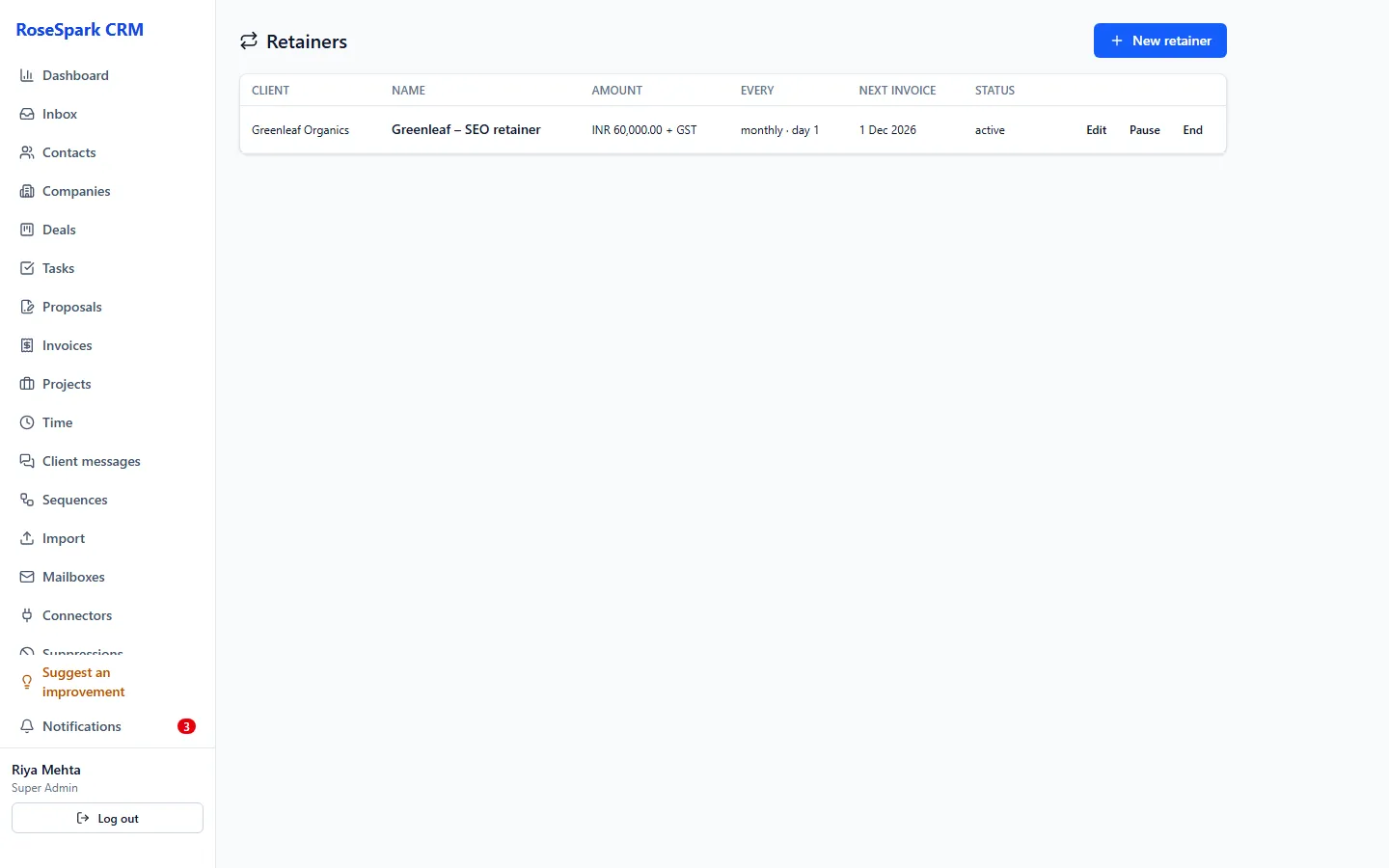
The deal moves to Won; set up the retainer from the signed proposal, and let a workflow start the project.
What's included
- Proposal templates with merge fields
- One-time and monthly lines, optional extras, discount, tax with your tax name and rate
- Public link without login, with view tracking
- Typed name and drawn signature with audit trail; signed copy
- Editing a sent proposal makes the old link stop working
- Signing moves the deal to Won
- Retainers from signed proposals; workflow triggers for sent, viewed and accepted
Questions
Does my client need an account?
No. They open the link in any browser, choose optional extras and sign.
Is the e-signature legally valid?
It records the typed name, the drawn signature and an audit trail of the signing. Whether that is enough for a contract depends on the law of your country and the kind of agreement.
What happens after the client signs?
The deal moves to Won, a signed copy is kept, you can set up the retainer from the proposal, and a workflow can start the project.
Can I change a proposal after sending it?
Yes. When you edit a sent proposal, the old link stops working, so the client always sees the current version.
See it on your own data: book a 30-minute demo
I'll show you proposals and e-signature and the rest of RoseSpark CRM on a real CRM – no slides.