Cold email outreach
Cold email that lands, follows up and stops on reply.
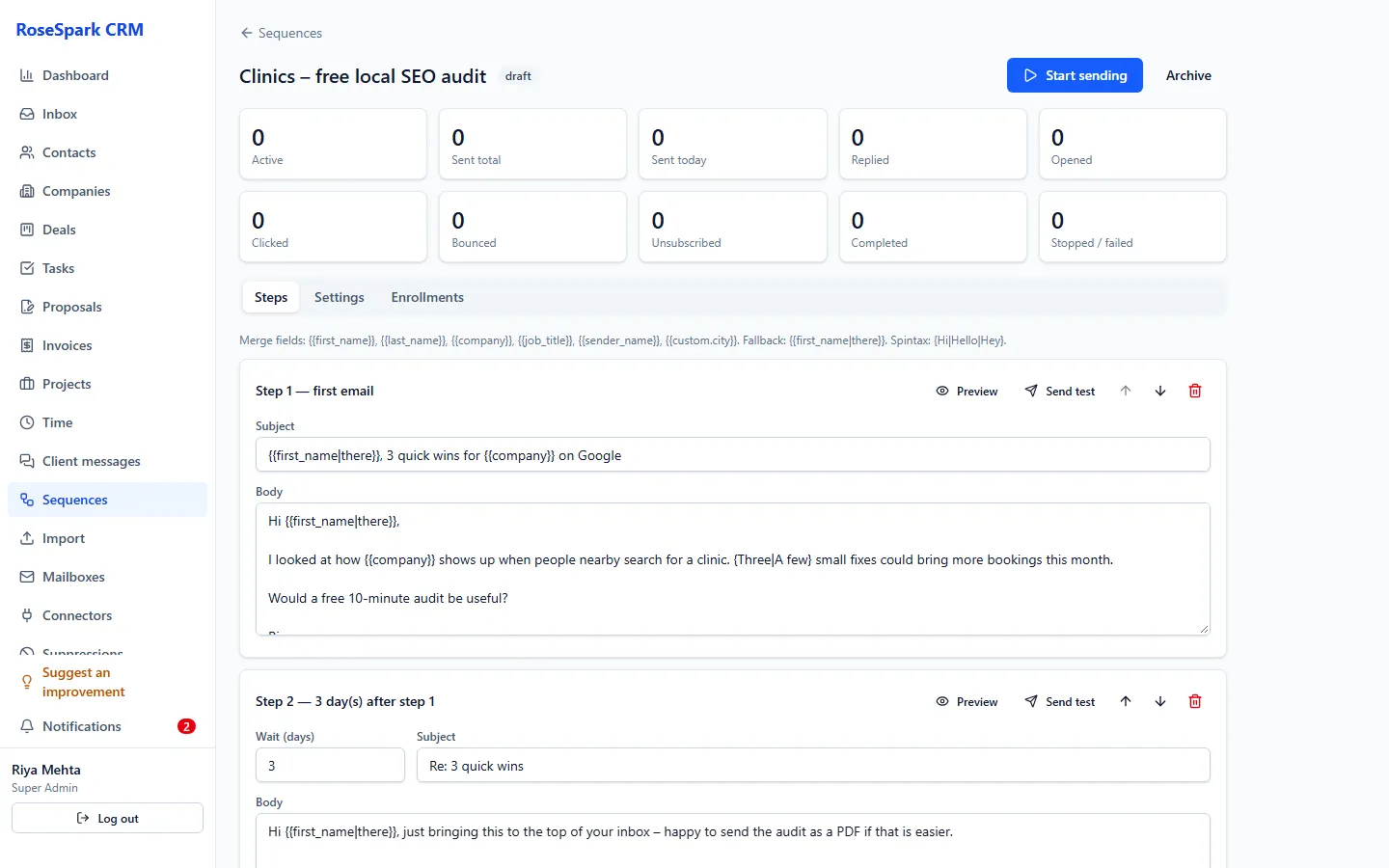
Its own sending engine works through your mailboxes, follows up on schedule, reads the replies and stops the moment someone answers.
Main benefits
-
Sends like a person
Sending windows in each contact's time zone, rotation across your mailboxes with random gaps, and daily limits per mailbox.
-
Stops on reply
Replies are read from your inbox, sorted into interested, out of office, bounce or unsubscribe, and the sequence stops at once.
-
Safe by default
Every email passes a compliance check first: deleted, do-not-email, suppressed or unsubscribed contacts are never emailed.
How it works
- 1
Connect your mailboxes
Google, Microsoft (sign-in or app password), Zoho or any SMTP/IMAP mailbox. A check shows the MX, SPF, DKIM and DMARC records to fix.
Screenshot: Mailbox with DNS check - 2
Write the sequence
Steps with waits, merge fields with fallbacks and spintax so no two emails are the same; send yourself a test first.
- 3
Add contacts and let it run
Add contacts in bulk; each contact is in one active sequence at a time, and follow-ups thread under the first email.
- 4
Handle the replies
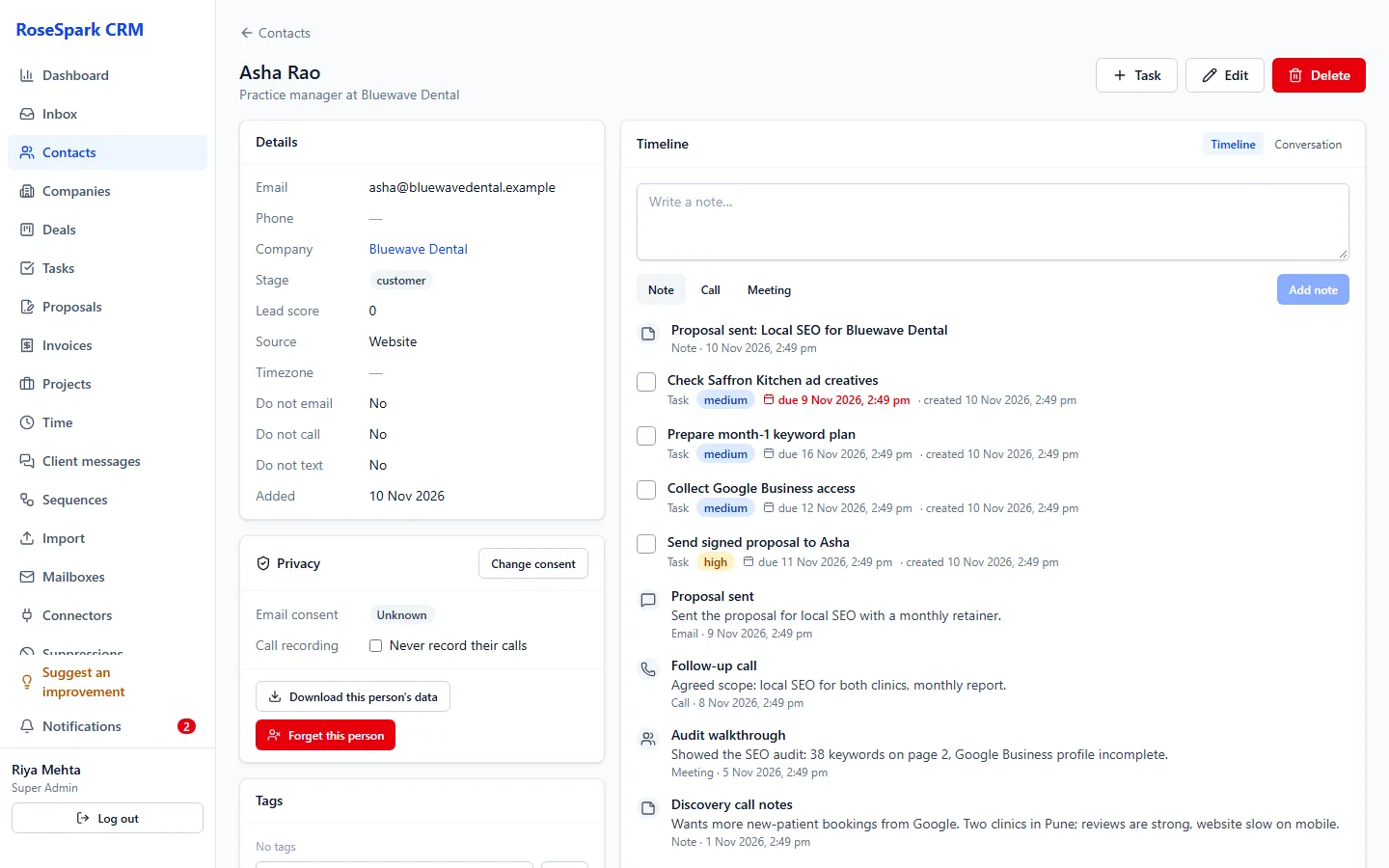
Replies arrive on the contact's timeline, classified; bounces and complaints are suppressed automatically.
What's included
- Google, Microsoft, Zoho and any SMTP/IMAP mailbox, with test, daily limit and DNS check; passwords stored encrypted
- Sequences with waits, merge fields with fallbacks, spintax, threading and test sends
- Sending window in the contact's time zone and mailbox rotation with random gaps
- Signed open and click tracking – switch it off for the whole business if you prefer
- Replies read from your inbox (read-only) and classified; the sequence stops on reply
- Bounce and complaint suppression, do-not-email, consent rule and a compliance check before every send
- Footer with your company name and postal address, and one-click unsubscribe
- Two-way connection with Instantly, Smartlead and lemlist; push leads to Apollo
- Lead forms for your website that create contacts and can start workflows
Questions
Will my emails land in the inbox?
Nobody can promise that, but the CRM does what helps: it checks your DNS records, sends in business hours in the contact's time zone, rotates mailboxes with random gaps and respects daily limits.
Can I keep using Instantly, Smartlead or lemlist?
Yes. Push leads to them, and replies, bounces and unsubscribes come back into the CRM, with one shared block list. Apollo works too, for pushing leads.
How does it handle unsubscribes and consent?
Every email has your company name, postal address and a one-click unsubscribe link. Unsubscribes, bounces and complaints are suppressed, and you can choose to email only contacts who gave consent.
Can I switch off open and click tracking?
Yes – one switch for the whole business in Settings → Privacy.
See it on your own data: book a 30-minute demo
I'll show you cold email outreach and the rest of RoseSpark CRM on a real CRM – no slides.