Workflows
Automate the follow-ups your team forgets.
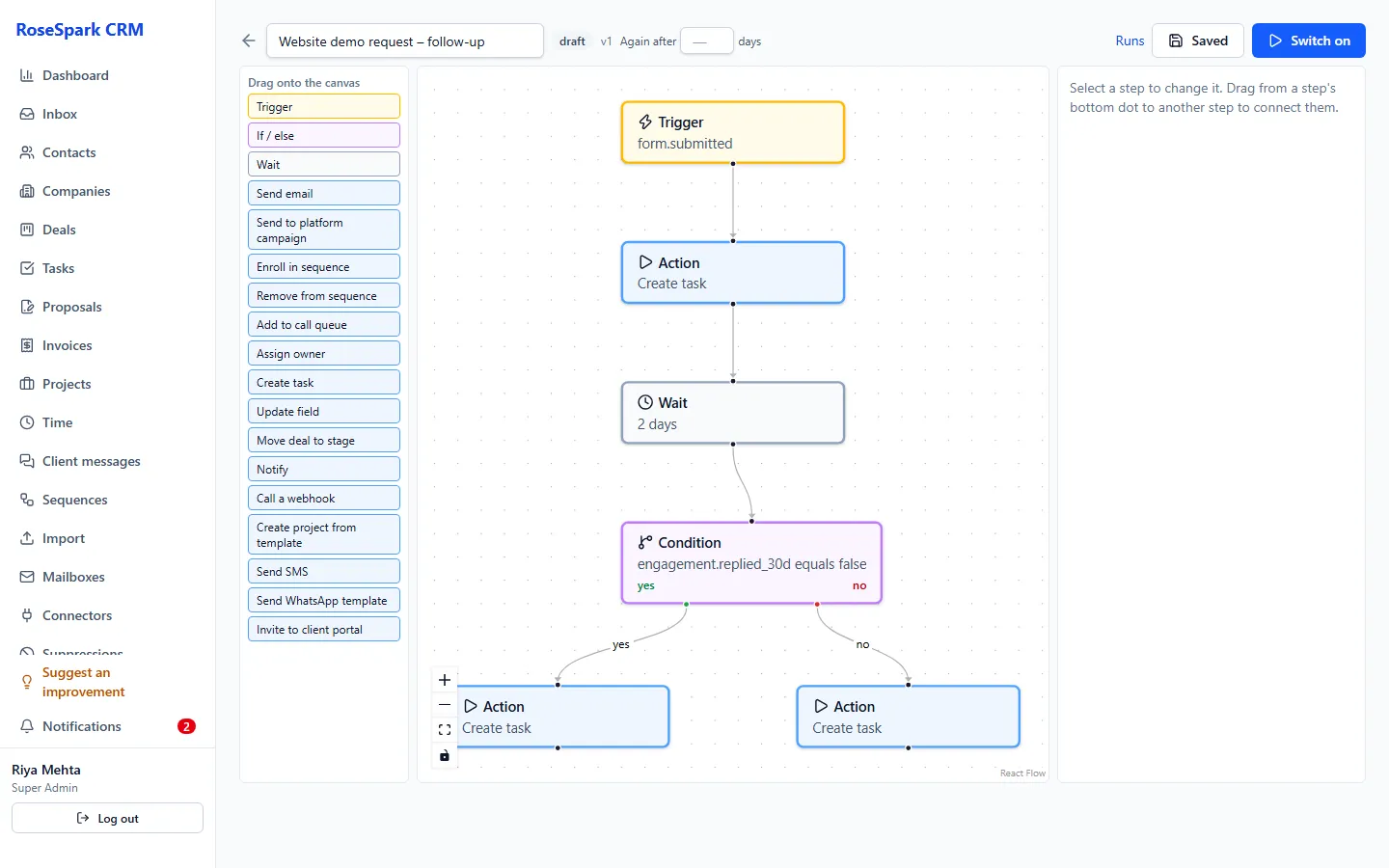
Draw the process once – trigger, conditions, waits, actions – and the CRM runs it for every contact, deal and invoice.
Main benefits
-
Built visually
Drag triggers, conditions, waits and actions onto a canvas and connect them – no code.
-
Triggers from everywhere
Forms, email opens, clicks and replies, calls, deals, proposals, projects, approvals, invoices, messages and dates.
-
You can see what it did
Every run keeps a log of each step, and every change to a workflow makes a new version.
How it works
- 1
Pick a trigger
For example: a lead form is submitted, a deal is won, a proposal is viewed or an invoice becomes overdue.
- 2
Add conditions and waits
Branch on contact or deal details, and wait hours or days between steps.
- 3
Add the actions
Send an email, SMS or WhatsApp template, start a sequence, create a task, move a deal, start a project from a template, notify Slack or call a webhook.
- 4
Switch it on and watch the log
Each run shows every step and its result, so you can check what happened for any contact.
Screenshot: Workflow run log
What's included
- Drag-and-drop workflow builder
- Triggers: contact created, form submitted, tag added, email opened, clicked, replied or bounced, call completed
- More triggers: deal created, moved, won or lost; proposal sent, viewed or accepted; project and task events; deliverable approved
- More triggers: portal messages, SMS and WhatsApp received, invoice issued, paid or overdue, and dates
- Conditions and waits
- Actions: email, SMS, WhatsApp template, sequence, outside email platform campaign, call queue, owner, task, field, deal move
- More actions: project from a template, client portal invite, in-app or Slack notification, webhook
- Versions and a run log for every step
Questions
What can start a workflow?
New contacts, forms, tags, email opens, clicks, replies and bounces, calls, deal changes, proposals, projects and approvals, portal messages, SMS and WhatsApp, invoices and dates.
Can a workflow send WhatsApp or SMS?
Yes – SMS and approved WhatsApp templates, as well as emails, tasks, deal moves, Slack notifications and webhooks.
How do I know what a workflow did?
Every run keeps a log of each step and its result, and each change to a workflow is saved as a new version.
See it on your own data: book a 30-minute demo
I'll show you workflows and the rest of RoseSpark CRM on a real CRM – no slides.