Calling and power dialer
Call from the browser. Recordings stay on your private server.
Use the CRM's own browser phone with your SIP trunk, or the calling providers and dialers you already have – every call lands on the contact's timeline.
Main benefits
-
Your choice of phone line
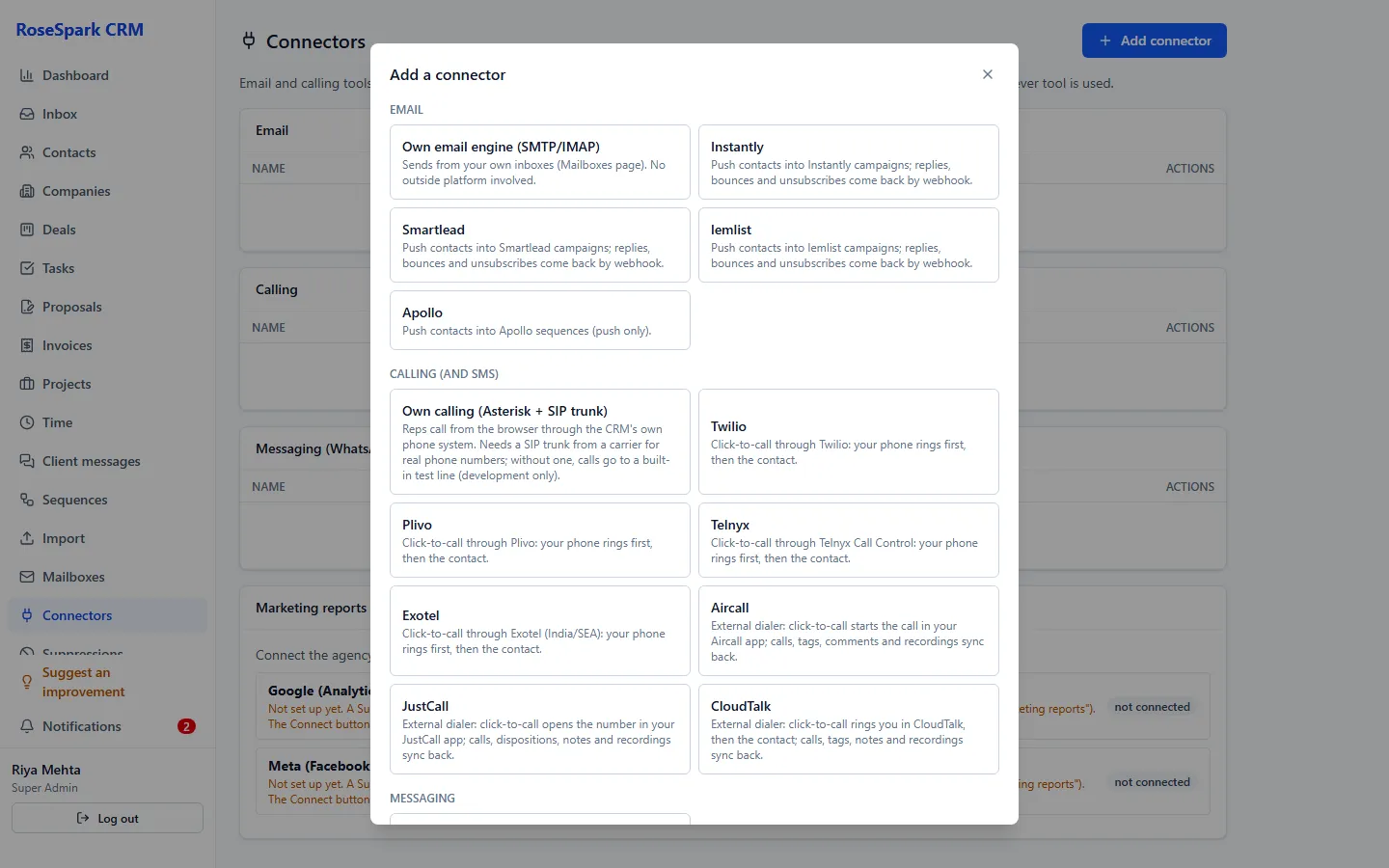
The CRM's own browser phone with your SIP trunk, or Twilio, Plivo, Telnyx and Exotel – or Aircall, JustCall and CloudTalk.
-
More calls per hour
Call queues with a countdown auto-dial, branching scripts and automatic retries for no-answers.
-
Calls that follow the rules
Calling hours in the contact's local time, a do-not-call list everywhere and recording-consent rules per country.
How it works
- 1
Connect a phone line
Add your SIP trunk for the browser phone, or connect a calling provider; with a provider, your phone rings first and then the contact's.
- 2
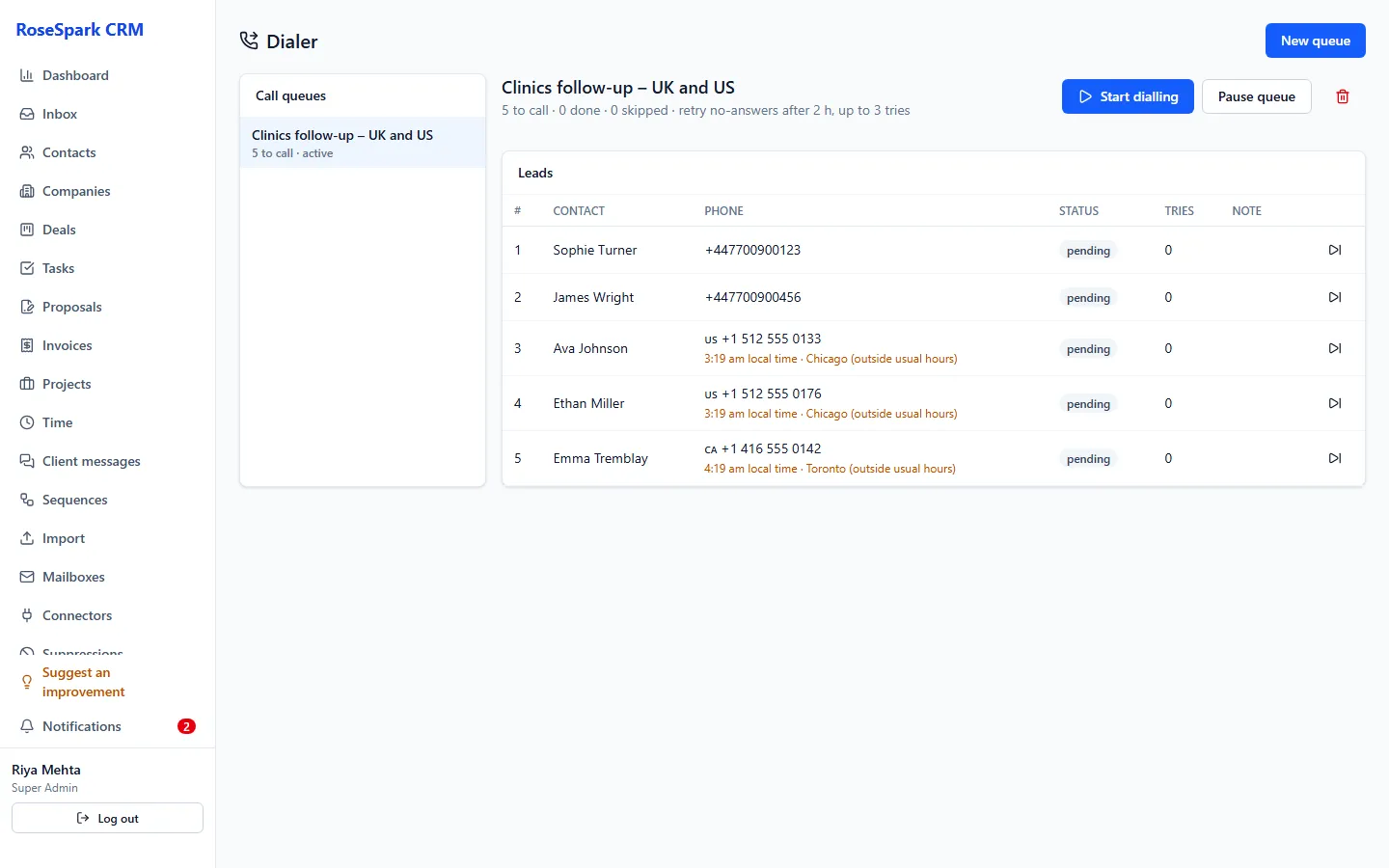
Build a call queue
Add contacts from a list or in bulk and attach a branching script; the path taken is saved with each call.
- 3
Dial
The power dialer counts down and dials the next contact; drop a recorded voicemail with one click.
- 4
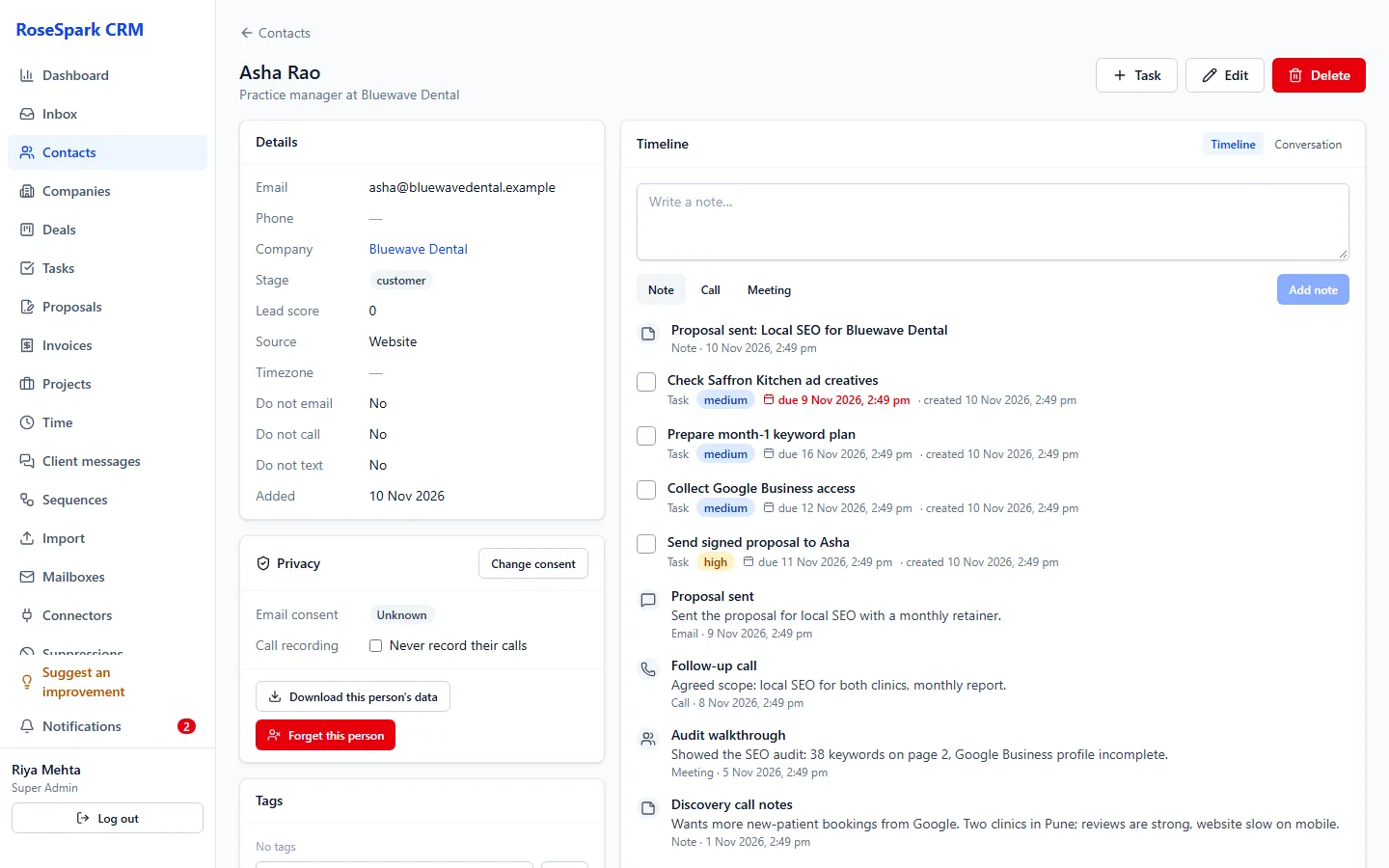
Everything is logged
The call, its outcome and the recording appear on the timeline; recordings are downloaded to your private server.
What's included
- Own browser phone (Asterisk) with your SIP trunk; recordings stored on your private server
- Twilio, Plivo, Telnyx and Exotel calling, with signed webhooks and recordings downloaded to your server
- Aircall, JustCall and CloudTalk: click to call opens the dialer, call logs sync back
- Power dialer: call queues, countdown auto-dial, branching scripts, retries, voicemail drop
- Calling hours in the contact's local time, do-not-call list and allowed countries
- Recording-consent rules: a default and per country (record with notice, without notice, or not at all) and "never record" per contact
- Optional transcription on your private server (needs the bigger server)
Questions
Do I need a phone provider?
Yes: a SIP trunk for the browser phone, or an account with Twilio, Plivo, Telnyx or Exotel. Call minutes are paid to that provider.
Can calls be recorded legally?
You set the rule per country: record with a notice, without a notice, or not at all. The notice is played before recording; if a notice cannot be played, the call is not recorded.
Is transcription included?
It is optional and runs on your private server, so it needs the bigger server (a higher hosting amount).
We already use Aircall, JustCall or CloudTalk. Can we keep it?
Yes. Click to call opens your dialer, and call logs sync back to the contacts, matched by the user's email.
See it on your own data: book a 30-minute demo
I'll show you calling and power dialer and the rest of RoseSpark CRM on a real CRM – no slides.